

By Louis Balla, Chief Revenue Officer, Nuage. Updated October 2026.
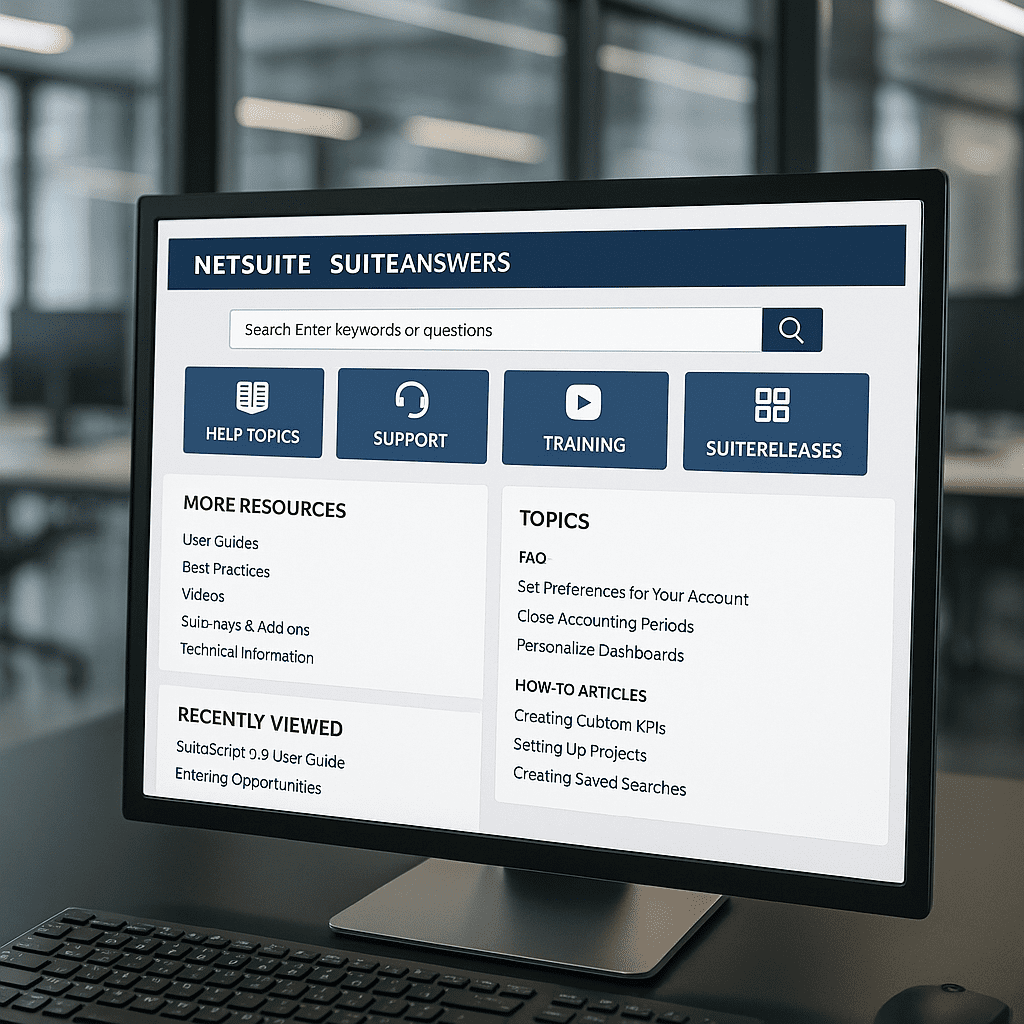
SuiteAnswers is NetSuite’s self-service support site, with support articles, videos, help topics, best practice documents and announcements. To open it, log in to NetSuite and choose Support, then Go to SuiteAnswers, or click SuiteAnswers on the Help Center toolbar. From there you can ask NetSuite Expert a question, search articles or contact Support.
This guide covers how to get in, why the link sometimes does not appear, how to search, and which route to use when an article does not solve the problem.
What is NetSuite SuiteAnswers?
Oracle’s SuiteAnswers overview describes it as the NetSuite self-service support site. You can view announcements, support articles, videos, help topics and best practice documents there. You can also submit a question or issue by email and contact NetSuite Customer Service by phone.
Oracle’s comparison with the Help Center shows the NetSuite Knowledge Base and the NetSuite Virtual Support Assistant in SuiteAnswers only. Search works with natural language, keywords or an article ID, with filters for content type, product category and target audience. Critical announcements appear at the top of the page.
How do I access SuiteAnswers?
You must be logged in to NetSuite. Oracle lists these routes:
- In the NetSuite user interface, choose Support, then Go to SuiteAnswers.
- On the Support tab, click the Go to SuiteAnswers button in the SuiteAnswers portlet.
- In the NetSuite Help Center, click SuiteAnswers on the toolbar.
Why can’t I access SuiteAnswers?
Oracle documents three causes for a missing link.
- Your role. If you are using an Employee Center, Customer Center, Vendor Center or Partner Center role, you will not see the SuiteAnswers portlet. Switch to another role to use it.
- Your employee record. Your employee record needs both a first and a last name. If either is missing, you get an error when you try to open SuiteAnswers.
- The portlet is not on your Support tab. Click Personalize Dashboard in the upper right, then click SuiteAnswers in the Add Content portlet to add it.
If these look right, ask your NetSuite administrator to check the role assigned to you.
How do I search SuiteAnswers?
Type a question the way you would ask a colleague, or search by keyword or article ID. Type-ahead suggestions and search history are built in. After a search, use the filters for content type, product category and target audience to narrow the list.
Two habits help. Search for the exact text of an error message, because articles often quote it. And read the most recent announcements before a release, since critical announcements sit at the top of the page.
What is NetSuite Expert in SuiteAnswers?
NetSuite Expert is the AI-assisted summary that sits on top of SuiteAnswers search. Oracle says it works behind the scenes to find and summarize a relevant answer, which appears in a few seconds. To use it:
- Open SuiteAnswers and enter a question or phrase of at least three words.
- Click Show More to expand the summary.
- Open the source articles from the citations or the Sources section.
- Give feedback with the thumbs-up or thumbs-down icons.
Oracle states that the summary is generated with AI, that it may not be entirely accurate, and that you should check it against the source articles. It enhances natural language search and is not a chat application, so Oracle advises against entering complicated scenarios or trying to have a back-and-forth conversation.
What is the difference between SuiteAnswers and the Help Center?
Oracle’s SuiteAnswers overview compares the two. Both have help topics, videos and user guides. Only SuiteAnswers has the NetSuite Knowledge Base and the Virtual Support Assistant. Only the Help Center has the table of contents, multi-language content and context-sensitive help. For a feature you are learning, start in the Help Center. For an error, an announcement or a case, start in SuiteAnswers.
How do I contact NetSuite Support from SuiteAnswers?
Oracle’s steps: log in to NetSuite, choose Support, click Go to SuiteAnswers, then use the contact options on the right side of the page. The options depend on your support level. Oracle’s table lists these routes:
| Inquiry type | Basic Support | Premium Support |
|---|---|---|
| Critical Problem | Phone support, 24×7 | Not listed |
| Report a Problem | Online case, 24×7 | Phone support and online case, 24×7 |
| Ask a Question | Virtual Support Assistant and Community, 24×7 | Online case, Virtual Support Assistant and Community, 24×7 |
Phone support is available 24/7 at the number your account manager provides, and you must be on the Authorized Contact list to use it, according to Oracle’s NetSuite Support page. Oracle also says response times vary with the level of support you purchased and the support team’s current case load. Advanced Customer Support (ACS) is a separate Oracle subscription; our guide to NetSuite ACS explains what each tier includes.
When is a person a better route than an article?
SuiteAnswers works well for how-to questions and documented behavior. It is slower for questions about your own account, because an article describes the product and not the scripts, workflows and settings in your system. A NetSuite expert who can look at the account is the better route there.
Support cases show the same pattern. A utility services controller found that intercompany elimination entries had posted twice for December 2025, once in December and again when the elimination ran in the year-end adjustment period, after several 2026 periods were already closed. Our consultant reproduced the behavior in sandbox, filed a NetSuite Support case, and advised her not to delete or change any elimination journals until Support answered. Support confirmed the behavior was expected for that setup and gave the documented approach: remove the adjustment-period journal, rerun the elimination in December, validate, and reclose. We passed that on with a note to plan the impact on the closed 2026 periods first.
Hiring a person full time is a separate decision, and our guide to hiring a NetSuite administrator covers it. If you are comparing outside help, our NetSuite ERP consulting services guide explains the options.
How does Nuage use SuiteAnswers?
SuiteAnswers articles are cited in 68 of our client tickets across about 40 client accounts, in our consultants’ answers and in the release notices clients forward to us. When a data center operator added a new accountant, our consultant set up her sandbox access, shared the NetSuite Basics article for self-paced learning and offered a 30-minute walkthrough. When a food and beverage company asked about bank imports, our answer included the guidance that an import should not exceed 10,000 transactions, which Oracle’s Help Center states for manual bank data imports.
Our team’s steps when a client brings a question:
- Search the documented answer first. We look for the SuiteAnswers or Help Center article that covers the behavior.
- Reproduce it in sandbox. We confirm the behavior outside production before changing anything.
- File a Support case when the issue belongs with NetSuite. We add the technical detail and follow the case through.
- Tell the client what to hold. We say what not to change until the answer arrives.
- Pass on the documented fix with its impact. The client sees which periods and records it touches.
Nuage’s NetSuite experts do this work as part of ongoing NetSuite optimization and managed services.
NetSuite SuiteAnswers FAQ
What is SuiteAnswers in NetSuite?
SuiteAnswers is NetSuite’s self-service support site. Oracle says you can view announcements, support articles, videos, help topics and best practice documents there, submit a question by email or contact Customer Service by phone. You open it from inside NetSuite, so you must be logged in to your account first.
Why can’t I see SuiteAnswers in NetSuite?
Oracle documents three causes. Users on Employee Center, Customer Center, Vendor Center or Partner Center roles will not see the SuiteAnswers portlet and need to switch roles. Your employee record needs both a first and a last name, or you get an error. And the portlet may simply be missing from your Support tab, which Personalize Dashboard fixes.
How do I log in to SuiteAnswers?
Log in to your NetSuite account, then choose Support and Go to SuiteAnswers, or click SuiteAnswers on the Help Center toolbar. Oracle says you must be logged in to NetSuite to access SuiteAnswers. If the link is missing, check that your role is not Employee Center, Customer Center, Vendor Center or Partner Center, and that your employee record has a first and last name.
How do I search SuiteAnswers for an answer?
Enter a question in plain language, keywords or an article ID, then narrow the results with the filters for content type, product category and target audience. For a summarized answer, enter a question of at least three words and open NetSuite Expert’s sources to check it. Oracle says the summary can contain errors.
When should I ask a NetSuite expert instead of searching SuiteAnswers?
Ask a person when the question is about your own account: a custom script, a workflow, a subsidiary setup or a closed period. Articles describe the product, and an expert can look at what your system actually has. For documented how-to questions, an article is usually the fastest route.
About the author
Louis Balla is Chief Revenue Officer at Nuage, a NetSuite optimization partner that has served 250+ clients since 2011 and holds a 4.9 out of 5 rating on Clutch. The client work in this article is our team’s.


