

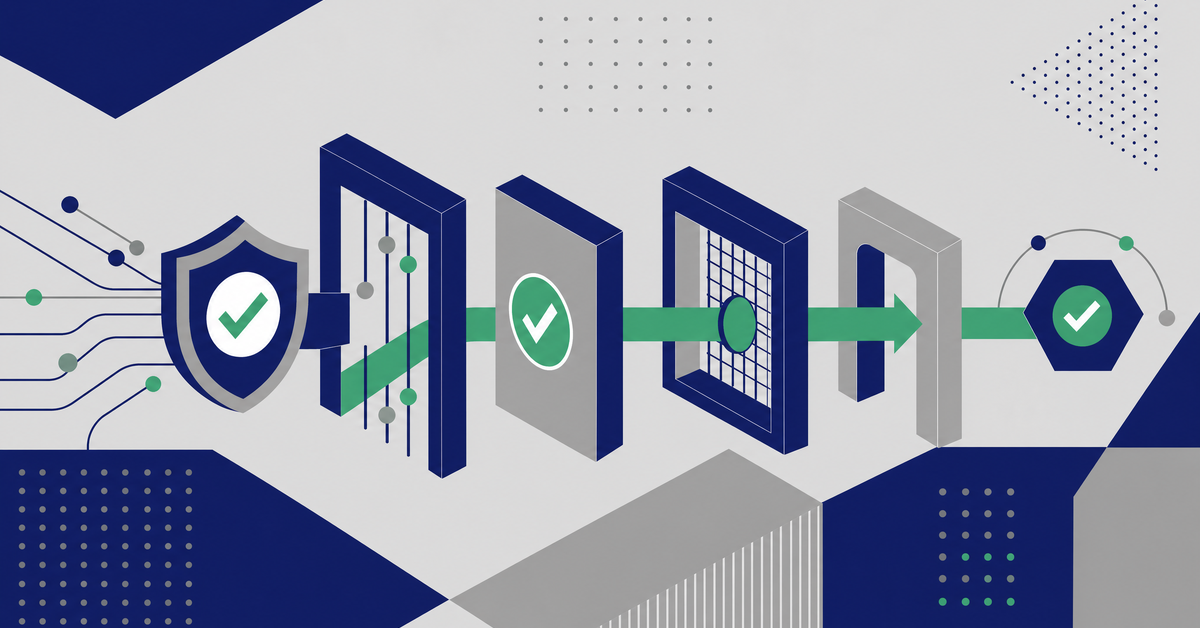
An approval workflow becomes enforceable the moment the system physically removes the ability to edit a transaction once it moves to the next person in the chain. Documented policies matter, but the control that survives an audit is the one where the edit button disappears on handoff, the system logs who created the entry, and every approval or rejection lives in an immutable record.
That distinction, policy versus system-enforced control, is where most finance teams trip up. You build an approval matrix in a spreadsheet, train your team, maybe even post it on the shared drive. Then someone edits a journal entry after it was already routed for sign-off, and nobody catches it until the auditors show up. The average private-company audit runs about 1,395 hours at roughly $191 an hour. That is the real cost a broken approval chain creates, and it compounds every time you reconstruct who changed what and when.
What Approval Workflows Actually Protect
Approval workflows exist to answer one question during any review: who touched this, and did they have permission? The answer needs to come from the system, not from someone’s memory or a forwarded email thread.
For CFOs and controllers, the stakes center on three transaction types: purchase orders, journal entries, and payments. Each carries a different risk profile. A PO that gets modified after approval can commit you to spending you never authorized. A journal entry edited mid-chain can distort your financials before anyone signs off. A payment released without proper sign-offs opens the door to fraud.
The Lock-on-Handoff Principle
Louis Balla, CRO at Nuage, describes the enforcement model as a lock-on-handoff framework. The concept is simple. The moment a transaction leaves one person’s queue and enters another’s, the prior person loses edit access. They can approve. They can reject. They cannot change the numbers.
At a mid-market media and entertainment company, Nuage walked through a new NetSuite journal entry and invoice approval workflow built on exactly this logic. Once a JE moves to the next approver in the chain, the prior person can no longer edit it. The system keeps a record of who created the entry and where it sits in the chain at every step. The control is the system physically removing the edit button the moment something lands in someone else’s queue.
That is what separates an enforceable workflow from a documented one. The policy says “don’t edit after submission.” The system makes editing impossible.
How Approval Workflows Strengthen Internal Controls Across Finance Operations
Internal controls break down at the points where humans can override the system. Manual data entry into a spreadsheet. A workaround where someone exports to Excel, makes a fix, and reimports. A payment batch released because the approver was out and someone needed to “keep things moving.”
Strong approval workflows eliminate those gaps by enforcing segregation of duties at the system level, not the policy level. The person who creates a PO cannot approve it. The person who enters a journal entry cannot post it. The person who initiates a payment cannot release it. These separations need to be built into role permissions, not just written into a procedures manual.
An Audit Trail That Builds Itself
When your approval chain enforces lock-on-handoff, the audit trail becomes a byproduct of the workflow itself. Every transaction carries a record of who created it, who approved or rejected it, and at what time. You never need to reconstruct the chain after the fact because the system already holds it.
This matters enormously at month-end close and during external audits. Instead of pulling together emails and screenshots to prove a journal entry was properly reviewed, you point auditors to the system log. The time savings alone justify the configuration work, but the real value is confidence. You can trust the numbers because the process that produced them is verifiable.
If your current setup still relies on approval workflows that exist more on paper than in practice, the gap between what’s documented and what’s enforced is where audit findings live.
Step 1: Lock Down Journal Entry Approvals First
Journal entries are the highest-risk transaction for most finance teams because they directly affect the general ledger. Start here.
The workflow should follow this sequence: a staff accountant creates the entry. On submission, the entry routes to a reviewer based on criteria you define, such as amount threshold, department, or account type. The moment it routes, the creator loses edit access. The reviewer sees the entry, the supporting documentation, and the full history of who created it. They approve or reject. If rejected, it returns to the creator with notes, and the cycle restarts.
Configuring Routing Logic for Journal Entries
Your routing logic should reflect your actual risk profile. Not every journal entry needs the controller’s sign-off. A $500 accrual adjustment and a $500,000 intercompany entry carry different risk levels, and your workflow should treat them differently.
Set approval thresholds by amount and by account. Entries hitting revenue accounts or intercompany accounts should route to senior approvers regardless of dollar value. Standard accruals under a defined threshold can route to a team lead. This prevents bottlenecks where your controller is approving routine entries while high-risk transactions sit in the same queue.
For exception handling, build a clear escalation path. If an approver is unavailable for more than 24 hours during close, the entry should auto-route to a designated backup. Never let a transaction sit unapproved because someone is on PTO.
Step 2: Apply Lock-on-Handoff to Purchase Orders
POs carry a different kind of risk than journal entries. A modified PO can commit you to unauthorized spending with an external vendor before anyone catches it. The lock-on-handoff logic applies here with the same force, but the routing considerations differ.
The workflow starts when a requester creates a PO. Before submission, they have full edit access, and this is the only point where changes should happen freely. On submission, the PO routes to the first approver, typically a department manager. The requester’s edit access disappears. The manager approves, rejects, or sends back for revision.
Multi-Level PO Approvals Without Bottlenecks
For larger purchases, you likely need two or three approval tiers. A department head approves up to $10,000. A VP approves up to $50,000. The CFO approves anything above that. Each tier locks the PO from edits by all prior approvers in the chain.
The mistake most teams make is requiring too many approvers at every level. If every PO over $1,000 requires three sign-offs, you create a bottleneck that incentivizes workarounds. People split POs to stay under thresholds. They call colleagues to rubber-stamp approvals so procurement keeps moving. Those workarounds defeat the purpose of the control.
Design your thresholds around actual spending patterns. Pull a report of your last six months of POs, look at the distribution by dollar amount, and set thresholds that route the bulk of routine purchases through a single approval while flagging the outliers for additional review. If you need help structuring this kind of process automation inside your ERP, start with the transaction data, not the org chart.
Budget Checks and Vendor Risk
Where possible, tie PO approval workflows to real-time budget checks. A PO that would push a department over its quarterly budget should flag for additional review automatically, regardless of the dollar amount. This is where conditional routing earns its keep.
Vendor risk is another routing variable worth configuring. New vendors or vendors in high-risk categories should trigger an additional approval step. One-time vendors especially. These are the transactions that show up in fraud investigations.
Step 3: Build Payment Approval Workflows That Prevent Unauthorized Releases
Payments are the last line of defense. Everything upstream, the PO, the receipt, the invoice, the journal entry, leads to this moment. If your payment approval workflow is weak, every control before it becomes less effective.
The lock-on-handoff framework applies to payments with an added layer: dual approval. For any payment above a defined threshold, two separate individuals must authorize the release. The person who enters the payment details cannot be one of the approvers. And once the first approver signs off, they cannot modify the payment record before it reaches the second approver.
High-Risk Payment Scenarios That Need Extra Controls
Certain payment types warrant additional scrutiny beyond standard thresholds. Wire transfers, especially international wires, should always require dual approval regardless of amount. Payments to new payees need verification steps. Payments that deviate from the original PO amount by more than a defined percentage should flag for review.
The goal is not to slow down payments. The goal is to make sure the right people see the right transactions before money leaves the account. Efficient accounts payable automation actually speeds up the routine payments by routing them through the correct approval path without manual intervention, while surfacing the exceptions that need human judgment.
AI Governance: Keeping Automation Honest as You Scale
As more finance teams introduce AI into their transaction processing, the lock-on-handoff framework becomes even more important. AI can auto-code expenses, match invoices to POs, and flag anomalies. But AI should never approve its own work.
AI governance in this context means treating automated entries the same way you treat human entries. An AI-generated journal entry still needs to route through your approval workflow. An AI-matched invoice still needs a human sign-off before payment releases. The system should log that the entry was AI-generated, just as it logs which staff member created a manual entry.
This is not theoretical. As ERP platforms add more automation capabilities, the teams that maintain clean internal controls will be the ones who built their approval workflows to treat every transaction source, human or automated, with the same rigor. Dataintelo research shows small- and mid-sized enterprises accounted for 37.2% of the global approval-workflow-software market in 2025, which signals that mid-market teams are already investing in these controls. The question is whether those controls actually enforce the rules or just document them.
Common Approval Workflow Failures and How to Prevent Them
The most common failure is not a missing approval step. It is a step that exists on paper but gets bypassed in practice. Here are the patterns that show up most often.
Over-approval is the first. When every transaction requires three or four sign-offs, approvers stop reading the details and start rubber-stamping. Reduce the number of approvers per transaction and increase the quality of each review. Two thoughtful approvals beat four automated clicks.
Unclear Ownership and Manual Handoffs
If your workflow requires someone to manually forward a transaction to the next approver, you have a gap. Manual handoffs create opportunities for transactions to stall, get lost, or get modified between steps. The system should handle routing automatically based on predefined rules.
Approver confusion is another pattern. When multiple people receive the same approval request, either everyone assumes someone else will handle it, or multiple people approve simultaneously without reviewing the other’s notes. Define clear ownership. One primary approver per step, with a designated backup that activates only after a timeout period.
If your current ERP configuration has these gaps, a NetSuite optimization partner can help you redesign the workflow logic without replacing your existing system. Nuage, for example, carries an 82% CSAT score across its engagements and focuses specifically on tightening these kinds of controls inside the platform you already own.
Frequently Asked Questions
Q: How do I roll out a stricter approval workflow without disrupting month-end close?
Pilot the workflow on a narrow set of transactions or one business unit first, then expand once cycle time and exception rates look stable. Time the cutover right after close, and publish a short checklist for what changes for requesters, approvers, and reviewers.
Q: What should approvers look for during review beyond “is the amount correct”?
Train approvers to validate business purpose, supporting documentation completeness, accounting classification, and whether the transaction aligns with contract terms or policy. A simple review rubric reduces inconsistent approvals and makes oversight easier to audit.
Q: How do I handle urgent, same-day transactions without creating a control bypass?
Create an emergency path with stricter requirements, such as mandatory documentation, a defined reason code, and post-event review by a designated control owner. The key is that urgency changes the routing, not the enforceability or the audit record.
Q: How can I prevent people from bypassing approvals outside the ERP, like via email or chat?
Set a clear policy that off-system approvals are not valid, then reinforce it operationally by requiring approvals to occur only within the system for the transaction to proceed. Pair this with periodic compliance checks that compare initiated transactions to approval logs.
Q: What metrics should I track to prove the workflow is improving controls and efficiency?
Monitor approval cycle time, rejection rate (and top rejection reasons), number of escalations, and volume of transactions processed per approver. Also track exceptions that required manual intervention to identify where rules or training need refinement.
Q: How do I design approval workflows for multi-entity or multi-subsidiary organizations?
Standardize a core framework across entities, then allow entity-specific routing based on local policies, currencies, tax requirements, or delegated authority limits. Use a shared control library so changes can be governed centrally while execution remains entity-aware.
Q: How do I ensure approval records are retained and searchable for audits and investigations?
Define retention requirements with finance and compliance, then configure the system to store approvals, attachments, and comments in a searchable format tied to the transaction. Establish a consistent naming and documentation standard so evidence is easy to retrieve under time pressure.
Build the Controls That Survive the Audit
The approval workflows that hold up under scrutiny share one trait: the system enforces them, not the people. Lock-on-handoff, as Louis Balla and the Nuage team describe it, is the principle that makes the difference. Once a transaction moves to the next person, the prior person’s edit access disappears. The system records the chain. Nothing needs to be reconstructed.
Apply this to your journal entries first, then POs, then payments. Set routing logic based on actual risk, not organizational hierarchy alone. Treat AI-generated transactions with the same approval rigor as manual ones. Reduce approver count per step to increase review quality.
If you want to see where your current workflows have gaps, talk to Nuage about a NetSuite assessment. Their team configures these controls for mid-market finance teams every week, and the work starts with understanding what your system actually enforces today versus what your policy manual says it should.


