QuickBooks to NetSuite migration is a critical decision for businesses that have outgrown entry-level accounting software. This transition is more than a data transfer; it’s a strategic upgrade to a unified business management platform that can prevent costly failures and support growth.
Key Migration Essentials:
- When to migrate – You rely on multiple systems, spend 20+ hours weekly on manual tasks, or your revenue exceeds $5-10M annually.
- Timeline – 3-4 months for small businesses, 6-12+ months for enterprises.
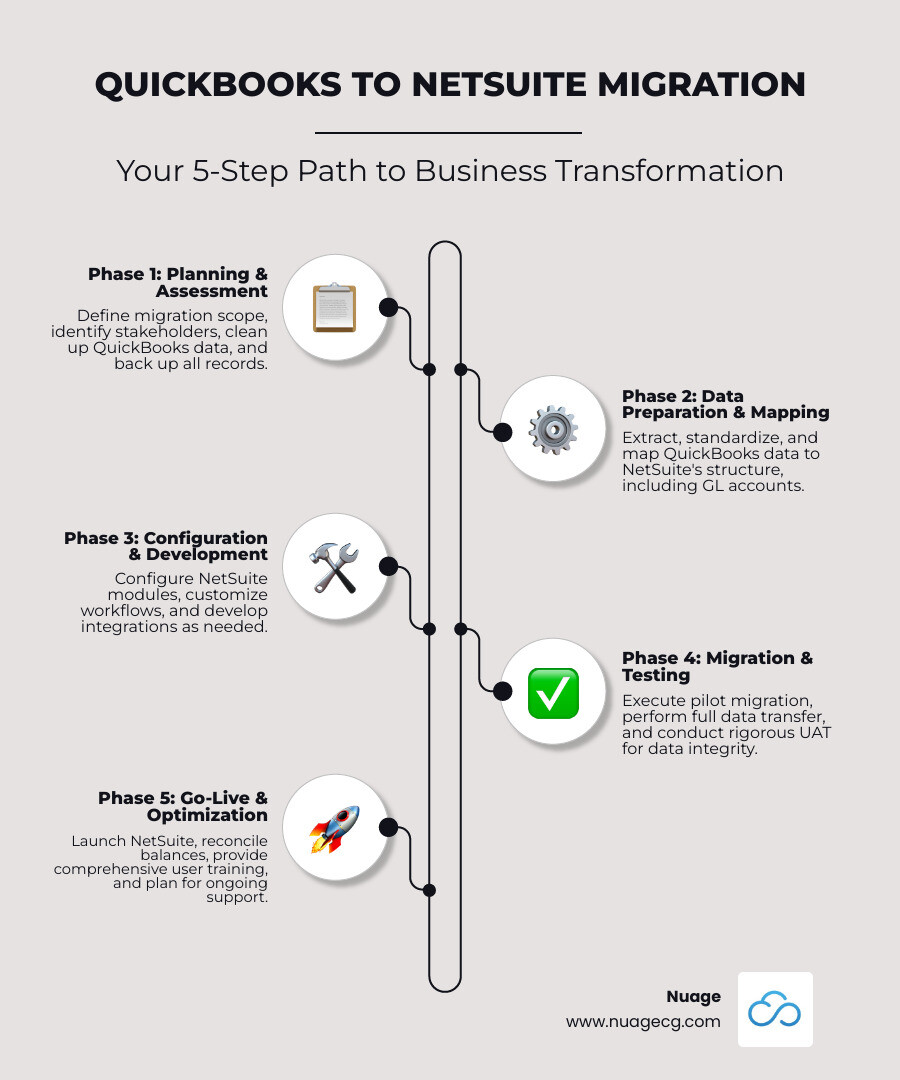
- Core process – Assessment → Data preparation → Mapping → Migration → Testing → Go-live.
- Success factors – Clean data, an experienced implementation partner, and comprehensive training.
- Primary benefits – Real-time reporting, multi-entity support, automated workflows, and scalability.
The difference between success and failure comes down to understanding what you’re migrating to and how to execute without disrupting operations. According to research, 89% of customers said that moving to NetSuite helped support their company’s growth more than QuickBooks. Organizations using experienced implementation partners achieve significantly higher success rates.
I’m Louis Balla, and with over 15 years of experience in digital change, I’ve guided countless companies through QuickBooks to NetSuite migration projects at Nuage. I’ve seen how proper planning transforms this complex process into a foundation for sustainable growth.
Why Migrate? Recognizing the Limits of Entry-Level Accounting and the Power of NetSuite
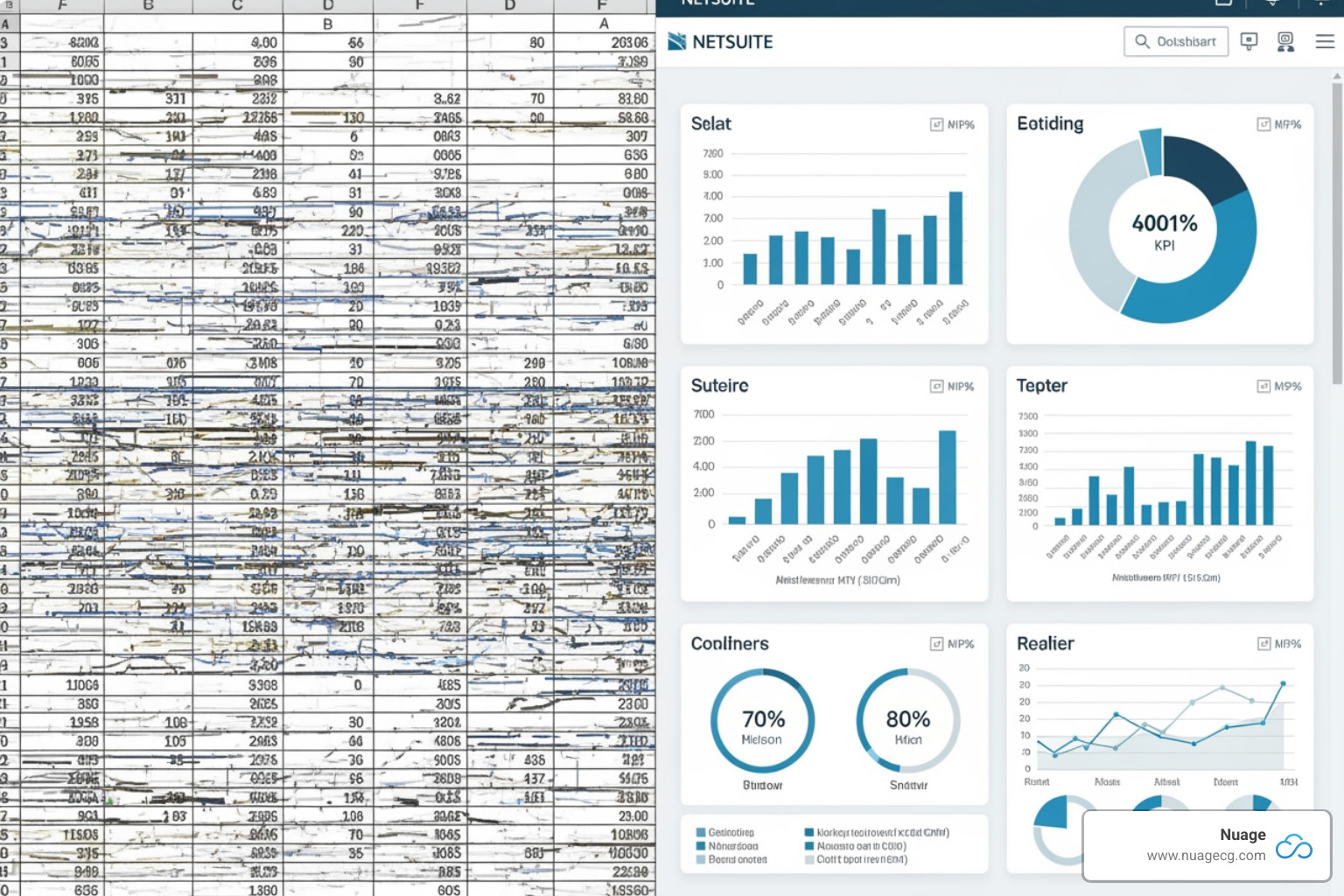
There’s a moment in every growing business when the tools that got you here can’t take you where you need to go. If your team is drowning in spreadsheets and manually reconciling data, your accounting software is costing you growth opportunities.
A QuickBooks to NetSuite migration isn’t just swapping software. It’s a strategic decision to invest in a platform that scales with your ambitions, provides real-time insights, and brings all your business operations under one unified roof.
Key Differences: Entry-Level Accounting vs. NetSuite
To understand the transition, let’s look at what separates entry-level accounting software from a true cloud ERP system. Entry-level accounting handles fundamentals like invoicing and bill payment well. It’s accessible and affordable for companies just starting.
NetSuite, however, is a comprehensive business management platform. It integrates CRM, inventory management, e-commerce, HR, and advanced analytics—all working together seamlessly. As a pure cloud-based system, it provides business data in real-time with no added IT infrastructure.
The difference is stark when you look at scalability. Entry-level systems often cap out at 25 users and struggle with multiple entities or currencies. NetSuite supports unlimited users and handles multi-currency, multi-subsidiary operations with ease—essential for global expansion.
| Feature | Entry-Level Accounting | NetSuite |
|---|---|---|
| Target Audience | Small businesses | Mid-market and enterprises |
| Core Functionality | Basic accounting | Full ERP: accounting, CRM, inventory, HR, e-commerce |
| Platform | Desktop & Cloud options | Pure cloud-based |
| User Limits | Up to 25 users typically | Unlimited users, role-based access |
| Multi-Currency/Entity | Limited support | Robust multi-currency and multi-subsidiary capabilities |
| Inventory Management | Basic tracking | Advanced inventory, warehouse management, lot/serial tracking |
| CRM | Requires third-party integration | Fully integrated CRM |
| Reporting | Basic reports, limited customization | Advanced analytics, highly customizable dashboards |
| Compliance | Basic features | Robust compliance (GAAP, ASC 606, SOX) |
| Scalability | Limited | Designed to grow with your business |
7 Signs You’ve Outgrown Entry-Level Accounting Software
How do you know when it’s time to upgrade? After helping hundreds of companies, we’ve identified seven telltale signs:
- Manual Workarounds: Your team spends 20+ hours weekly on manual data entry, reconciliation, or building reports in Excel. This is expensive and error-prone.
- Integration Bottlenecks: You’re struggling to make separate CRM, inventory, and project management systems communicate, trapping critical data in silos.
- Inventory Complexity: You need real-time visibility into stock across multiple warehouses, lot/serial number tracking, or advanced demand planning that basic software can’t handle.
- Global Operations: You’re expanding internationally or managing multiple legal entities and spending hours on manual consolidations and currency conversions.
- User Concurrency Limits: Hitting a user cap (e.g., 25 users) forces teams to share logins or get locked out, creating security risks and productivity bottlenecks.
- Reporting Gaps: You can’t get the real-time dashboards, drill-down capabilities, or strategic reports that executives need to make informed decisions.
- Compliance Needs: Your business must adhere to ASC 606, SOX, or other industry regulations that entry-level software wasn’t designed to manage.
The Primary Benefits of Upgrading to NetSuite
What tangible benefits drive business value after a QuickBooks to NetSuite migration?
- Unified Platform: With accounting, CRM, inventory, and e-commerce in one place, you eliminate data silos and errors from manual data transfer.
- Real-Time Visibility: Key performance indicators update continuously, allowing you to spot problems and capitalize on opportunities instantly.
- Scalability for Growth: The system grows with you, whether you’re adding subsidiaries, expanding markets, or handling higher transaction volumes. This is how NetSuite accounting assists rapidly expanding businesses.
- Advanced Revenue Management: NetSuite automates complex revenue recognition in compliance with standards like ASC 606, ensuring accurate financial statements.
- Automation: From invoicing to inventory replenishment, NetSuite handles routine tasks so your team can focus on strategic work, saving time and reducing errors.
- Improved Reporting and Analytics: Custom dashboards and drill-down capabilities mean you can answer complex business questions in minutes, not days, from any device.
The Complete QuickBooks to NetSuite Migration Process
Moving from QuickBooks to NetSuite is a significant step that can transform your business. With a structured, phased approach, this QuickBooks to NetSuite migration becomes a manageable process that sets you up for long-term success.
At Nuage, we’ve learned that success comes from following a proven methodology. Our comprehensive NetSuite Implementation Guide details our full approach, but here’s what you need to know about the migration process itself.
Phase 1: Planning and Data Preparation
This foundational phase is about getting the right plan and data in place. We begin by defining the scope and identifying stakeholders from finance, operations, sales, and IT to ensure all needs are met. A thorough data assessment of your QuickBooks setup follows, helping us understand your workflows, customizations, and data quality.
Data cleaning is the most critical step. Dirty data is the number one cause of migration headaches. We work with you to remove duplicates, update missing information, standardize formats, and archive irrelevant data. Our ERP Data Migration Services often start here. Finally, we create a comprehensive backup of all QuickBooks data as a simple but crucial risk management step.
Phase 2: Data Mapping and Chart of Accounts Restructuring
This phase translates your QuickBooks data into NetSuite’s more sophisticated structure, offering a chance to improve your financial data framework. Field mapping requires careful attention to detail, as we establish a clear mapping between QuickBooks and NetSuite fields to prevent data loss.
The GL structure differences are significant. NetSuite’s General Ledger is more robust, requiring account numbers and built to handle multiple subsidiaries and currencies. We help you restructure your chart of accounts to leverage these capabilities, setting up parent/child relationships and segment mapping for future reporting needs. Understanding your NetSuite GL Detail Report will be invaluable post-migration.
We typically migrate your Chart of Accounts, Customers and Vendors, Items, Open Transactions (unpaid invoices, bills), and Historical Data. We’ll help you decide how many years of historical transactions to migrate, often finding that summarized balances are more practical.
Phase 3: Execution of Your QuickBooks to NetSuite Migration
With data prepared and mapped, it’s time for the move. The right migration tools make all the difference. We use specialized platforms like the native NetSuite Connector, Celigo, or Boomi, choosing the best option based on your data’s complexity and volume. Our NetSuite Data Migration services leverage these tools for accuracy and efficiency.
We always conduct a pilot migration with a small data subset first. This dress rehearsal allows us to test the process and catch unforeseen issues in a controlled environment. After a successful pilot, we proceed with the full migration, typically scheduled during off-peak hours to minimize disruption. Our go-live strategy includes clear communication, final backups, and a carefully planned transition to ensure everyone knows what to expect.
Phase 4: Validation and Testing
Getting data into NetSuite is only half the battle; validation ensures it works as intended. Data validation is non-negotiable. We rigorously check data integrity by cross-referencing migrated data with original QuickBooks records. Reconciling opening balances for all accounts is another critical checkpoint to ensure financial accuracy from day one.
User Acceptance Testing (UAT) is where your team gets involved, testing core processes with the migrated data. Their feedback is invaluable for fine-tuning the system for real-world use. We also perform system performance testing to ensure NetSuite handles your data volume efficiently and verify all security measures and integrations are working correctly. These steps are core to our NetSuite Implementation Best Practices and result in a migration that’s ready to support your growth.
Timeline, Costs, and Choosing the Right Partner
Let’s cover the practical questions of a QuickBooks to NetSuite migration: how long it will take, what it will cost, and why finding the right partner is essential.

Estimated Timeline and Influencing Factors
There’s no one-size-fits-all timeline, but we can provide realistic benchmarks. For small businesses with straightforward operations, a migration typically takes 3-4 months. For enterprises with multiple subsidiaries, international operations, or significant customization, expect 6-12+ months.
What drives these differences?
- Complexity: Multiple legal entities and custom workflows take more time to configure correctly.
- Data Volume & Quality: Migrating large volumes of data or cleaning messy records extends the timeline.
- Customization: Building custom solutions requires thoughtful planning, development, and testing.
- Resource Availability: The bandwidth of your internal team and your implementation partner plays a crucial role.
Our Complete NetSuite Implementation Guide walks through these considerations in more detail.
Understanding the Costs of a QuickBooks to NetSuite Migration
NetSuite is an enterprise-grade solution and a significant investment. We encourage clients to focus on value, not just cost.
NetSuite pricing is customized and includes:
- Core platform license
- User licenses
- Add-on modules (e.g., advanced inventory, CRM, e-commerce)
- Implementation services, which cover data migration, configuration, training, and support.
While the initial investment is higher than QuickBooks, the Total Cost of Ownership (TCO) often tells a more complete story. NetSuite eliminates the hidden costs of managing multiple disconnected systems, manual data reconciliation, and lost productivity. The strongest ROI is typically seen when revenue exceeds $10M annually, manual processes consume 20+ staff hours weekly, or global operations demand multi-currency support. For more details, explore our article on NetSuite Implementation Costs.
Why an Experienced Implementation Partner is Crucial
While a DIY migration is technically possible, it’s rarely the best path. Data shows that organizations working with experienced partners achieve significantly higher success rates.
A successful migration is about configuring NetSuite to support your unique business processes. That’s where expertise makes all the difference. At Nuage, we bring industry-specific knowledge and proven methodologies to every project. We’ve seen the common pitfalls—like underestimating data cleaning or skipping user training—and know how to avoid them. Our approach to NetSuite ERP Implementation emphasizes risk mitigation at every phase.
We don’t just sell software. Whether providing NetSuite Consulting in California or supporting clients nationwide, our focus is on partnering with you. We are your NetSuite Optimization Engine, dedicated to configuring the system to match your workflows.
When evaluating partners, ask about their specific migration experience, implementation methodology, and post-go-live support. The right partner transforms a stressful project into a strategic upgrade that positions your business for growth.
Post-Migration: Optimizing NetSuite for Continued Growth
Going live with NetSuite is the beginning, not the end. The companies that get the most from their QuickBooks to NetSuite migration treat the post-migration phase as a journey of continuous improvement. At Nuage, we’ve seen that optimizing your system after the launch is key to maximizing its value.
User Training and Adoption Strategies
Even the best software is useless if your team doesn’t use it. User adoption is where most ERP implementations succeed or fail. We focus on role-based training that is relevant to each person’s daily work, making NetSuite feel like a helpful tool, not an obstacle.
Change management is about addressing your team’s concerns and showing them how NetSuite makes their jobs easier. The learning doesn’t stop after initial training. We provide ongoing support through multiple channels, including access to NetSuite’s Learning Center, workshops, and our dedicated NetSuite Support Services. Regular check-ins ensure everyone feels confident using the system.
Maximizing Value with Customization and Automation
NetSuite’s flexibility is a major advantage over QuickBooks. It can be shaped to match how your business operates. Once your team is comfortable with the basics, we can automate workflows using NetSuite’s powerful SuiteFlow tool. Processes like purchase order approvals or customer onboarding that once required manual handoffs can run automatically.
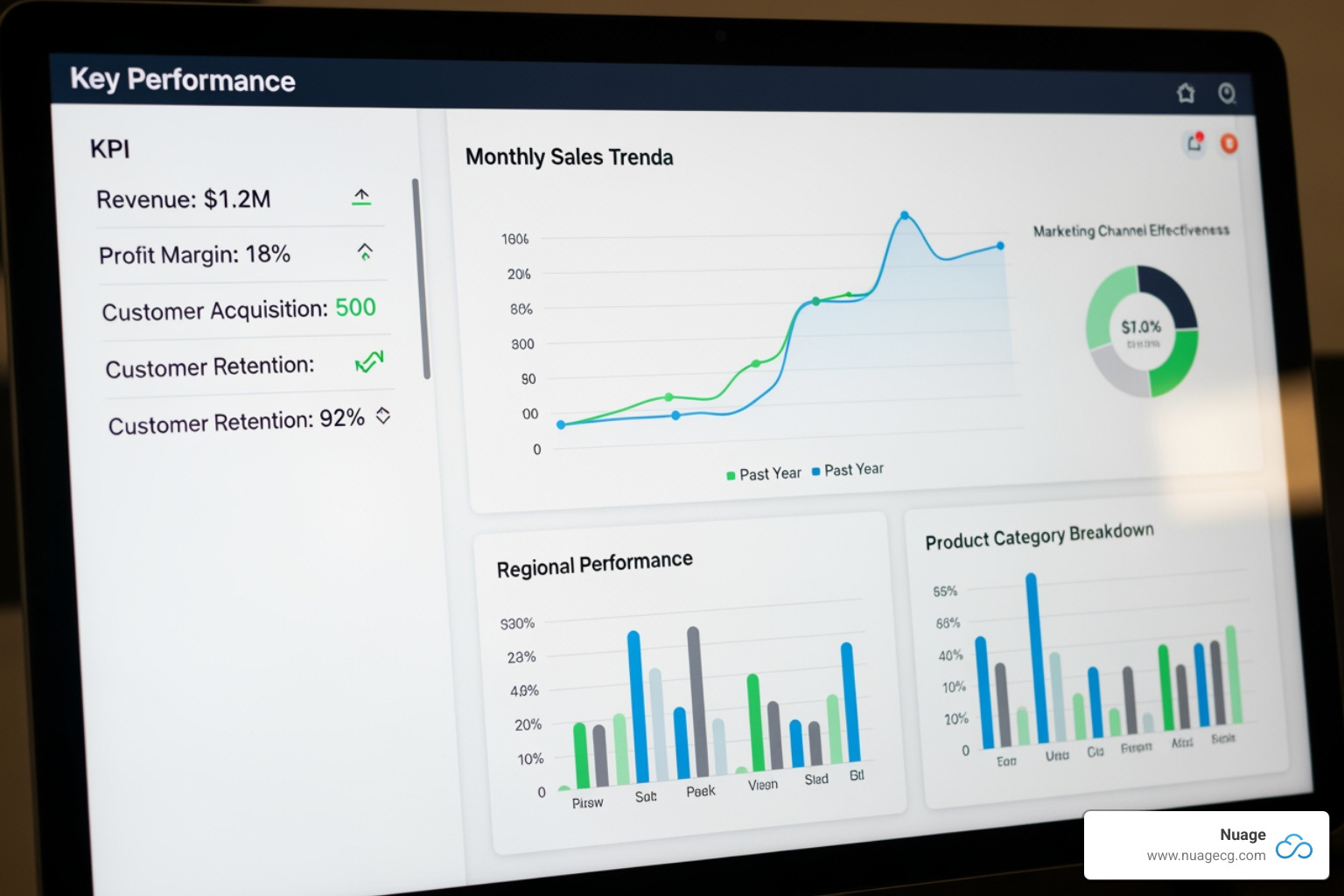
We also help you build custom reports and dashboards that display the exact KPIs you need. Our expertise in NetSuite Reporting Tools delivers insights that were impossible in QuickBooks. Through NetSuite ERP Customization, we can create custom fields, records, and forms to capture unique data points. If you use other business applications, our NetSuite Integration Services can connect them to create a seamless technology ecosystem.
Ongoing System Optimization
Your business isn’t static, and your NetSuite setup shouldn’t be either. We approach NetSuite Software Optimization as a continuous partnership. Once your core system is stable, we can plan Phase 2 improvements, like adding an advanced warehouse management module or implementing automated revenue recognition.
We conduct performance reviews and regular health checks to monitor system usage, identify bottlenecks, and ensure optimal configuration. Our goal is to continuously Improve NetSuite Performance so the system grows with you. This ongoing optimization is what makes us your NetSuite Optimization Engine, ensuring your migration delivers increasing value year after year.
Frequently Asked Questions about QuickBooks to NetSuite Migration
Here are straight answers to some of the most common questions we hear from businesses considering this important transition.
How long does a QuickBooks to NetSuite migration take?
The timeline depends on your business’s complexity. For a small business with straightforward processes, a migration typically takes 3-4 months. For a larger enterprise with multiple entities, complex workflows, or significant customization, the process can take 6-12+ months. Key factors influencing the timeline include business complexity, data volume and quality, and your team’s availability.
For a detailed look at each phase, see our Complete NetSuite Implementation Guide.
What is the typical cost of migrating from QuickBooks to NetSuite?
There is no one-size-fits-all price. The investment is customized to your specific needs and includes several components: the NetSuite core platform license, user licenses, any additional modules, and implementation services.
While the upfront investment is higher than QuickBooks, it’s important to consider the Total Cost of Ownership (TCO). NetSuite consolidates systems and automates manual work, eliminating hidden costs and improving efficiency. The ROI becomes clear for businesses with $5-10M+ in annual revenue, significant manual workloads, or multi-entity structures. For a deeper dive, read our article on NetSuite Implementation Costs. We work with you to understand your NetSuite Pricing options and find the right solution.
Can I migrate historical data from QuickBooks to NetSuite?
Yes, migrating historical data is a critical part of the process. We typically move your chart of accounts, master records (customers, vendors, items), open transactions (unpaid invoices, open POs), and historical transactional data.
However, migrating years of detailed history isn’t always necessary. We work with you to find the right balance, often by summarizing older historical balances while migrating recent transactional detail. This strategy provides continuity without unnecessary complexity. The success of this process depends on thorough data cleaning before the migration begins. Your historical data, once in NetSuite’s robust structure, can be fully leveraged using tools like the NetSuite GL Detail Report.
Conclusion: Your Foundation for Future Growth
Moving from QuickBooks to NetSuite is a strategic investment in your company’s future. The spreadsheets and disconnected systems that once worked are now likely holding you back. Every hour spent on manual reconciliation is an hour lost on strategy and innovation.
NetSuite provides a unified platform that grows with you, offering real-time visibility, powerful automation, and the scalability to expand without limits. We’ve seen it countless times at Nuage: companies constrained by their old systems begin operating with a clarity and efficiency they didn’t think possible. In fact, 89% of customers said moving to NetSuite helped support their company’s growth more than their previous software.
The journey from QuickBooks to NetSuite doesn’t have to be overwhelming. With the right partner, it becomes a structured, manageable change. As your NetSuite Optimization Engine, we bring over 20 years of digital change experience to ensure your migration is smooth and your system is optimized from day one.
We’re here to help you build the operational foundation for your next chapter of growth. Your future doesn’t have to be limited by yesterday’s tools. Let’s build something better together.