The True Cost of Inaccurate Data in Your ERP System

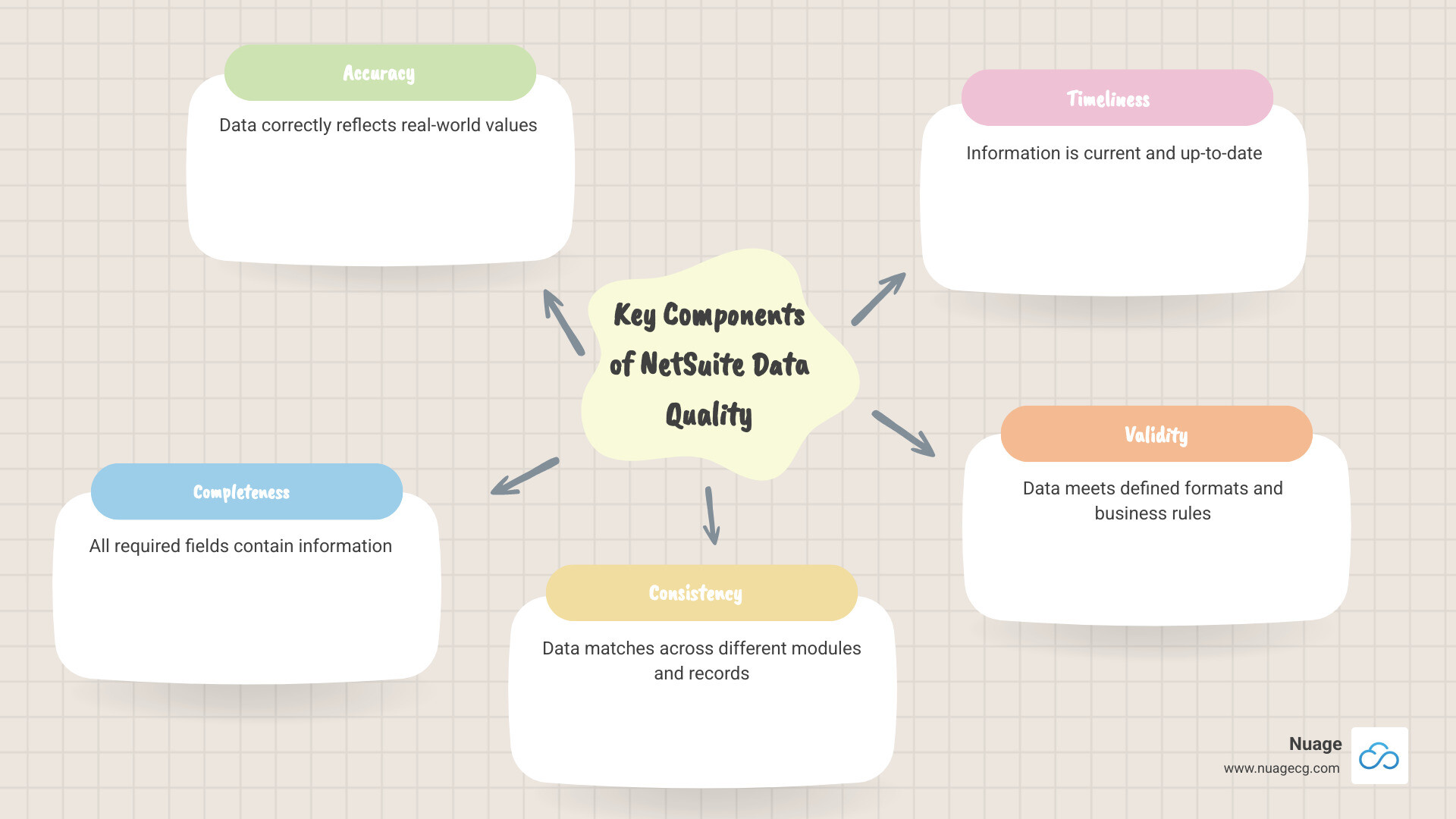
NetSuite data quality is the measure of accuracy, completeness, and reliability of information in your ERP. High-quality data is accurate, complete, consistent, timely, and valid.
Why does it matter? Poor data quality costs organizations an average of $12.9 million yearly, and the U.S. economy an estimated $3 trillion annually. Conversely, 75% of businesses that improve data quality exceed their annual goals.
Critical business decisions rely on data from your NetSuite system. When that data is flawed, the consequences ripple through every department. A single incorrect address can lead to a failed delivery, a frustrated customer, and lost revenue. This happens daily in companies that don’t properly manage their data.
The problem isn’t NetSuite; it’s the lack of expertise in using its powerful data integrity tools. Many businesses still rely on manual entry and spreadsheets, feeding bad information into their ERP. This results in duplicate records, outdated vendor information, and inconsistent product codes, creating a mess that compounds over time.
This guide will show you how to use NetSuite’s native features to build a data governance framework, implement validation controls, and use analytics to monitor data health. These are practical steps to transform your data from a liability into an asset.
I’m Louis Balla, CRO at Nuage. With over 15 years of experience, I’ve seen how proper data management in NetSuite transforms business outcomes, and I’ve helped dozens of companies overcome these challenges to open up their ERP’s full potential.
Explore more about NetSuite data quality:
The Domino Effect: Consequences of Poor Data Quality in NetSuite
Poor NetSuite data quality is a business crisis in the making, with flawed information creating a domino effect across your organization.
-
Operational Disruptions: Incorrect inventory in NetSuite leads to stockouts, emergency procurement, and disappointed customers. One wrong number triggers a cascade of costly recovery efforts.
-
Inaccurate Forecasting: Sales data riddled with duplicates and errors makes predictions unreliable. You might overstock unpopular products while running out of bestsellers, leading to misguided financial projections. Less than half of analytics leaders (44%) feel their teams provide value, often due to untrustworthy data.
-
Misguided Business Strategy: Outdated CRM data can lead you to target the wrong customers or invest in product lines based on flawed reports. These are strategic missteps that cost millions and require years to correct. Truly data-driven decisions require data you can trust.
-
Wasted Resources: Sales reps spend over half their time on non-selling activities, much of it manually cleaning data. When teams don’t trust the ERP, they revert to spreadsheets, negating the 29% sales increase and 34% productivity boost a clean CRM provides.
-
Damaged Customer Trust: Errors like bounced emails, failed deliveries, and billing disputes erode customer relationships. Customers don’t care about your data issues; they only know you got it wrong.
-
Compliance Failures: For regulated industries (HIPAA, GDPR), poor data integrity can trigger audits, hefty fines, and reputational damage. Learn more in our guide to NetSuite GDPR compliance.
When employees lose trust in the system, they create workarounds like shadow spreadsheets, leading to data fragmentation. Fortunately, these issues are preventable with proper data governance and NetSuite’s tools. Learn more about system optimization in our guide on improving NetSuite performance and CRM data strategies in this resource on improving data quality for CRM success.
Building Your Data Fortress: A Strategy for Superior NetSuite Data Quality
Achieving superior NetSuite data quality is an ongoing commitment, not a one-time project. A strong strategy relies on four essential pillars: governance, cleansing, validation, and monitoring. Building this foundation requires technical setup, organizational change, and team buy-in. Learn more about navigating these shifts with our insights on NetSuite change management.
- Data Governance: This is the blueprint that defines rules, standards, and ownership. Without it, efforts are scattered and ineffective.
- Data Cleansing: This is your ongoing maintenance program to fix issues like duplicates, inconsistent formats, and outdated information before they multiply.
- Data Validation: This proactive approach establishes rules at the point of entry to stop bad data from ever entering your system.
- Continuous Monitoring: This keeps watch over your data, catching issues as they emerge and allowing you to address them before they become major problems.
Defining Your Data Governance Policy
Your data governance policy is the constitution for your data, ensuring consistency across your NetSuite environment. Key components include:
- Data Dictionary: A definitive guide for every field, defining its meaning, accepted values, and format to ensure everyone speaks the same data language.
- Standardized Formats: Eliminates chaos by ensuring everyone enters data like dates, phone numbers, and addresses identically.
- Access Controls: Protects data from unauthorized or accidental changes by defining who can view, edit, and delete specific information.
- Data Ownership: Assigns clear accountability for data quality to specific teams or individuals, making it a shared commitment. Strong governance is also critical for regulatory needs like NetSuite GDPR compliance.
Overcoming Common Data Reliability Challenges
Even with a solid framework, NetSuite data quality faces persistent challenges. Understanding these helps you build defenses.
- Manual Entry Errors: Inevitable human mistakes require systems that catch errors before they cause problems.
- Integration Issues: Data flowing between NetSuite and other systems can get scrambled. Mismatched formats and fields break reports and workflows.
- Data Decay: Information becomes outdated over time as customers move and products change. Regular updates are essential.
- Lack of User Training: Teams may not understand why data quality matters or how their actions impact it, leading to process shortcuts and errors.
Reliable data is consistent, timely, and accurate over time. We understand how to spot unreliable data and can ensure a smooth NetSuite data migration to start you off with a clean slate.
Proactive Defense: Using NetSuite’s Native Tools for Data Integrity
NetSuite includes powerful native tools that are your best first line of defense against poor NetSuite data quality. Knowing how to use these built-in features is key to protecting your data without expensive third-party solutions.
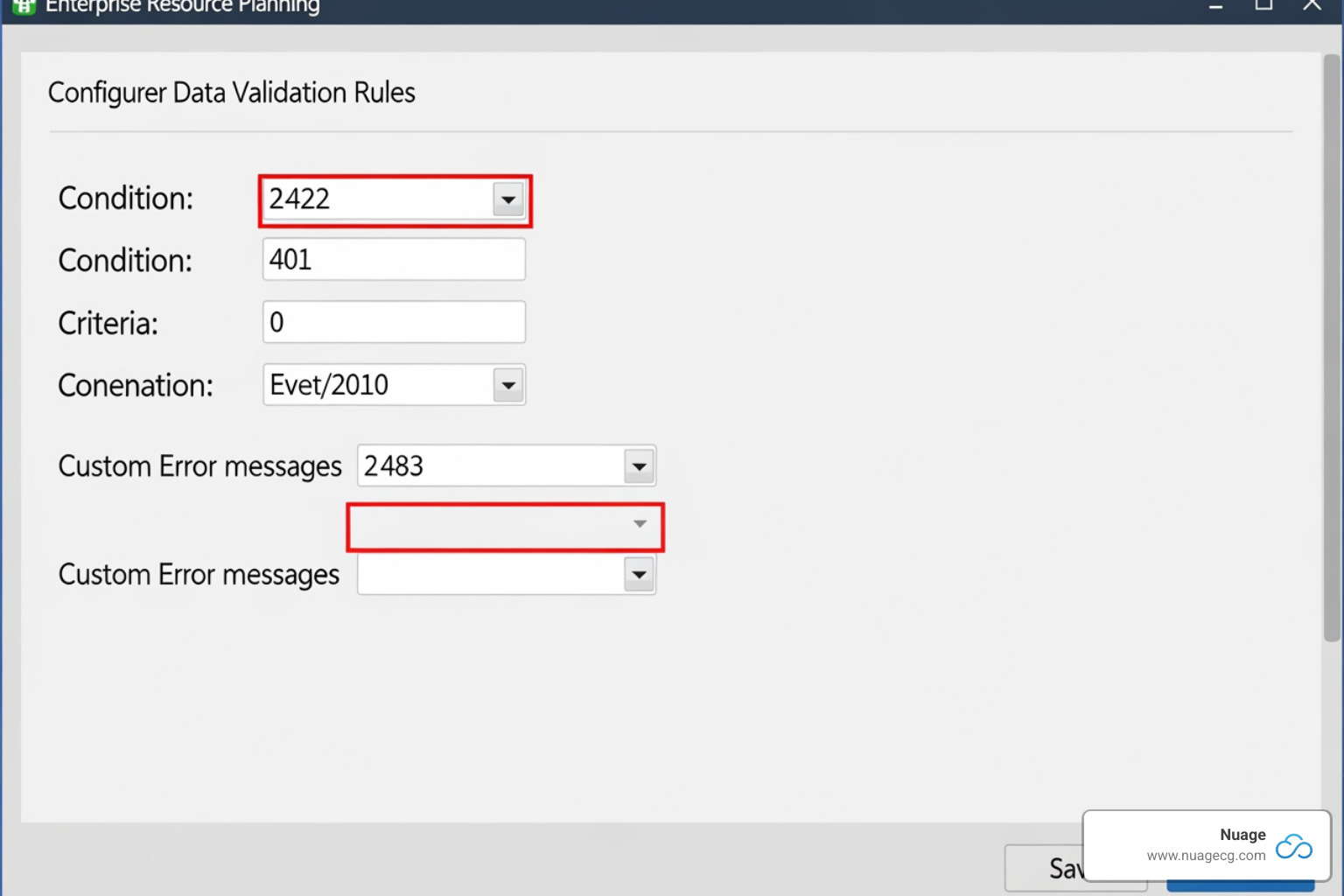
Implementing Data Validation Rules to Prevent Errors
Data validation rules act as guardians at your data entry gates, rejecting information that doesn’t meet your standards. While basic validation catches simple errors, custom rules in NetSuite can spot complex business logic problems, like mismatched payment terms or unreconciled balances.
To set them up, search for “data validation” and create a new rule. Define your criteria, decide whether to block the entry or show a warning, and apply it to specific records. For best results:
- Start with clear objectives.
- Keep rules simple and test them in a sandbox.
- Use custom error messages (e.g., “Phone number must be 10 digits”) to guide users.
- Document all rules and review them regularly.
Our team specializes in NetSuite ERP customization to build validation rules that fit your unique business needs.
Automating Audits with Saved Searches and Workflows
While validation rules prevent new errors, saved searches and workflows clean up existing data. Saved searches act as smart filters, continuously scanning for issues like duplicates, incomplete records, or inconsistencies.
When a search finds a problem, a workflow can automatically trigger an action, such as sending an email alert to the data owner or creating a follow-up task. This transforms NetSuite into a self-monitoring system that provides continuous quality control. Learn more in our guide to NetSuite process automation tips for 2025.
The Importance of a Strong NetSuite Data Quality Foundation
A solid NetSuite data quality foundation transforms your business. Clean CRM data helps sales teams close 29% more deals and boosts productivity by 34%. Accurate financials accelerate your close process and sharpen reporting. Reliable inventory data prevents stockouts and optimizes capital. A strong data foundation turns NetSuite into the strategic asset it was meant to be, powering confident decisions and delivering real ROI. Explore how we optimize NetSuite CRM modules to achieve these results.
Advanced Control: Mastering the NetSuite Quality Management SuiteApp
For businesses dependent on product quality, the NetSuite Quality Management SuiteApp extends NetSuite data quality from database records to physical goods. It ensures the things your records represent meet your standards by embedding quality control directly into your operations.
The SuiteApp formalizes inspections, letting you define tests, set acceptable parameters, and create policies that automatically trigger inspections at critical workflow points. This systematic approach catches defects early, ensures inventory data reflects verified quality, and bases supply chain decisions on real-world conditions. For a visual overview, watch What is NetSuite’s Quality Management Solution? (Video). This is especially transformative for manufacturers, as detailed in our NetSuite for Manufacturing Guide 2025.
Key Features and Best Practices
To get the most from the SuiteApp, configure its core features thoughtfully:
- Test Definitions: Standardize inspections, acceptable results, and qualified inspectors to ensure consistency.
- Inspection Parameters: Automatically trigger the right inspections when items are received or move through production.
- Mobile Data Collection: Allow inspectors to record results in real-time on tablets from the shop floor, eliminating paper-based errors.
- Quarantine Workflows: Automatically move failed items to a hold location, protecting inventory and production from defects.
- Ad Hoc Inspection Queues: Trigger on-demand inspections for events like customer returns or spot checks.
For optimal performance, follow these best practices:
- Aim for 30 data fields per inspection (40 max) and 20 inspections per specification.
- Limit CSV uploads to 500 rows to avoid bottlenecks.
- Use a single quarantine workflow (Improved is recommended) and a consistent Pre-Inspection Bin.
- The tablet interface header cannot be customized.
Applying these practices ensures both product and NetSuite data quality, enabling better decisions. For more on this, see our guide to NetSuite inventory management.
Cost and Licensing Explained
The Quality Management SuiteApp is an add-on module with an annual license fee that complements your core NetSuite ERP subscription. It is not a standalone solution. Pricing is user-based, so the cost depends on how many people need access. Your final investment will depend on company size and usage. For general pricing context, visit our NetSuite pricing overview. To discuss your specific needs, visit our NetSuite solutions page.
From Data to Decisions: How Analytics & Reporting Uphold Quality
NetSuite data quality isn’t a one-time project; it’s an ongoing process. NetSuite’s analytics and reporting capabilities are your allies in this, acting as an early warning system and quality control mechanism.
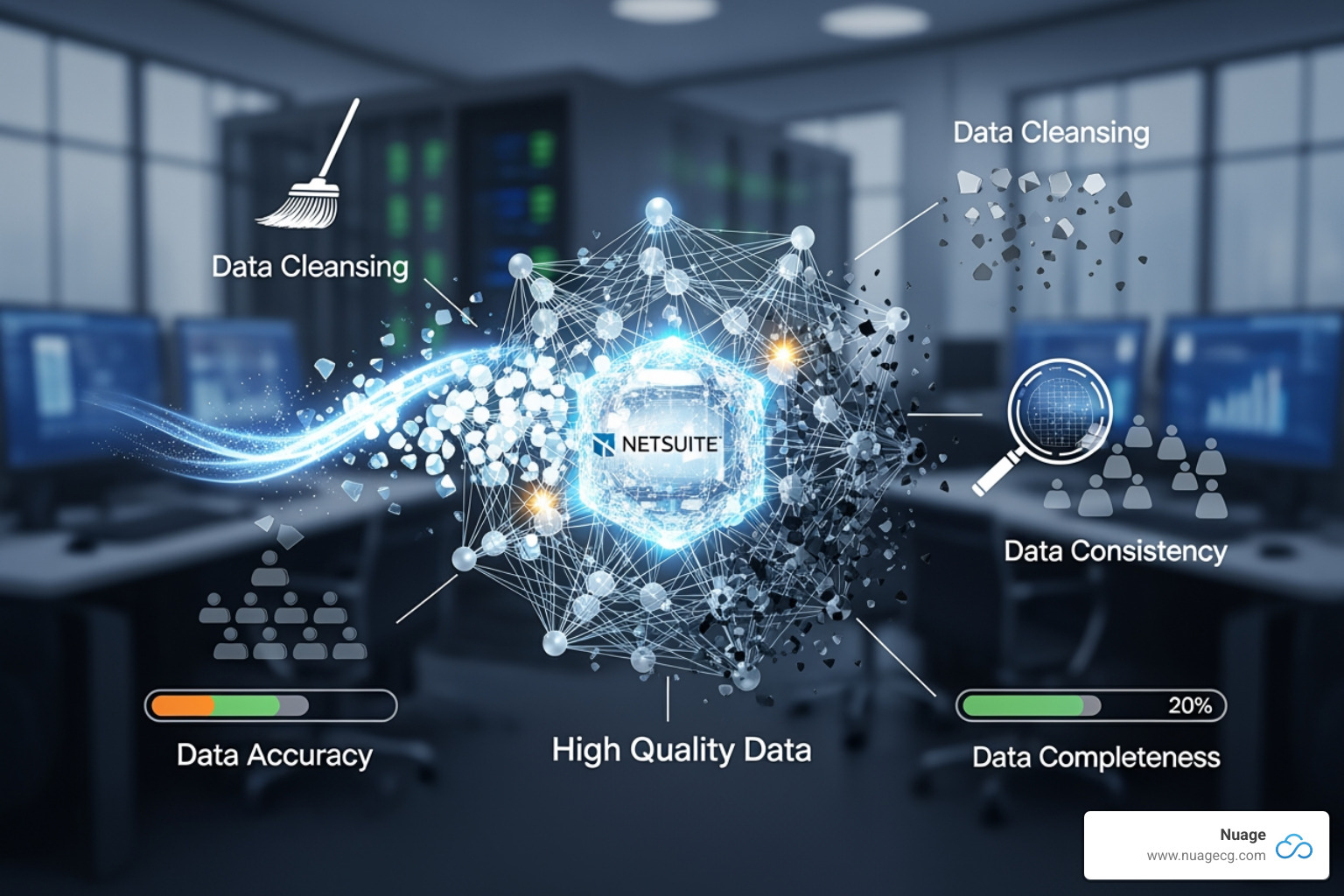
NetSuite SuiteAnalytics provides real-time visibility into performance. Role-based dashboards deliver relevant KPIs to the right people, helping them spot issues early. This real-time view is crucial for identifying outliers and anomalies that might indicate training gaps or process breakdowns. We recommend establishing and monitoring data quality KPIs—such as the percentage of complete customer records or the weekly duplicate entry rate—to manage data quality proactively. This turns analytics into a quality assurance mechanism. Learn more in our guide on NetSuite data analytics.
Leveraging NetSuite Analytics Warehouse
For larger data volumes or more complex needs, the NetSuite Analytics Warehouse is a data quality powerhouse. It creates a centralized data store, a single source of truth that makes it easier to spot inconsistencies. Its improved reporting capabilities allow for complex analysis without slowing down your live system.
With trend analysis, you can identify patterns over time, like a dip in data quality at quarter-end, helping you target your quality efforts effectively. As Oracle NetSuite EVP Evan Goldberg noted, creating a single source of truth is key to making sense of vast data. The Analytics Warehouse also integrates with external tools via SuiteAnalytics Connect. Learn more about managing Oracle NetSuite Analytics Warehouse.
At Nuage, we know that powerful analytics require high-quality data. This is why reporting is an essential component of any NetSuite data quality strategy.
Frequently Asked Questions about Improving NetSuite Data Quality
Here are expert answers to common questions about optimizing NetSuite data quality.
What are the first steps to improve data quality in NetSuite?
We recommend a four-step approach:
- Conduct a Data Audit: Assess the current state of your data to understand the scope of the issues.
- Identify Key Problem Areas: Focus on data that impacts critical processes like sales, fulfillment, and reporting.
- Prioritize High-Impact Records: Address the errors that have the greatest negative effect on operations first.
- Start with Validation Rules: Implement rules for new data entry to prevent new bad data from entering the system.
How often should we perform a data audit in NetSuite?
Frequency depends on your data volume and complexity. A quarterly audit is a good general practice. For high-volume businesses, more frequent audits may be necessary. Beyond formal audits, use NetSuite’s saved searches and workflows for continuous, real-time monitoring of data health.
Can I automate data cleansing in NetSuite?
Yes, automation is possible and highly recommended. The method depends on complexity:
- Native Workflows: Use for simple tasks like standardizing fields or flagging incomplete records.
- SuiteScript: Develop custom scripts for complex logic, such as advanced de-duplication or data changes.
- Third-Party Tools: For managing data from multiple sources, integration tools can enforce consistency and automate cleansing across systems.
Automating data cleansing reduces manual effort and ensures consistency. Our expertise in NetSuite integrations can help you find the right strategy.
Achieve Data Clarity and Drive Growth with Nuage
Improving NetSuite data quality is a journey that transforms your business. Clean, reliable data allows your sales team to close deals faster, your finance team to focus on strategy, and your operations to run smoothly. Businesses that prioritize data quality don’t just avoid the $12.9 million in average annual losses; they create a competitive advantage and exceed their goals.
Achieving this requires more than technology. With over 20 years in digital change, we at Nuage know that success depends on a partner who understands both NetSuite’s technical capabilities and the human side of change management.
Based in Manhattan Beach, CA, Ponte Vedra, FL, and Jacksonville, FL, Nuage is your NetSuite Optimization Engine. We work with you to build sustainable data quality practices custom to your business, changing your NetSuite environment from a data swamp into a strategic asset. Whether you’re struggling with inventory accuracy, duplicate records, or unreliable reports, our team has seen it all and can help you find clarity.
The journey to superior data quality starts with a commitment. Clean data leads to better decisions, and better decisions lead to growth.
Ready to turn your NetSuite data into a competitive weapon? Learn about our NetSuite Optimization Services or speak to an expert about your NetSuite environment today. Let’s build your data fortress together.