When evaluating NetSuite vs QuickBooks cost, here’s what you need to know:
- QuickBooks starts at $30-$200/month, making it ideal for small businesses with straightforward accounting needs.
- NetSuite starts around $12,000+/year with custom pricing, designed for mid-to-large businesses requiring comprehensive ERP functionality.
- Hidden costs are crucial: QuickBooks often requires expensive add-ons as you scale, while NetSuite has higher upfront costs but consolidates multiple business systems.
- The tipping point often occurs when QuickBooks costs exceed $500-$1,000/month due to added users, third-party apps, and manual workarounds.
Every growing business faces a critical decision about its accounting software. Many start with QuickBooks for its low entry price, but as complexity increases, costs can escalate. While NetSuite appears more expensive initially, a true comparison requires looking beyond monthly fees.
The real question is about Total Cost of Ownership (TCO) over several years, which includes implementation, training, add-ons, and the hidden cost of manual processes. This guide breaks down the complete picture of NetSuite vs QuickBooks cost to help you determine when each solution makes financial sense.
As a NetSuite Optimization team with over 20 years of experience in digital change, we at Nuage have helped countless companies steer this decision. Understanding the true financial implications of each platform is critical to maximizing your ERP investment and avoiding costly migrations down the road.
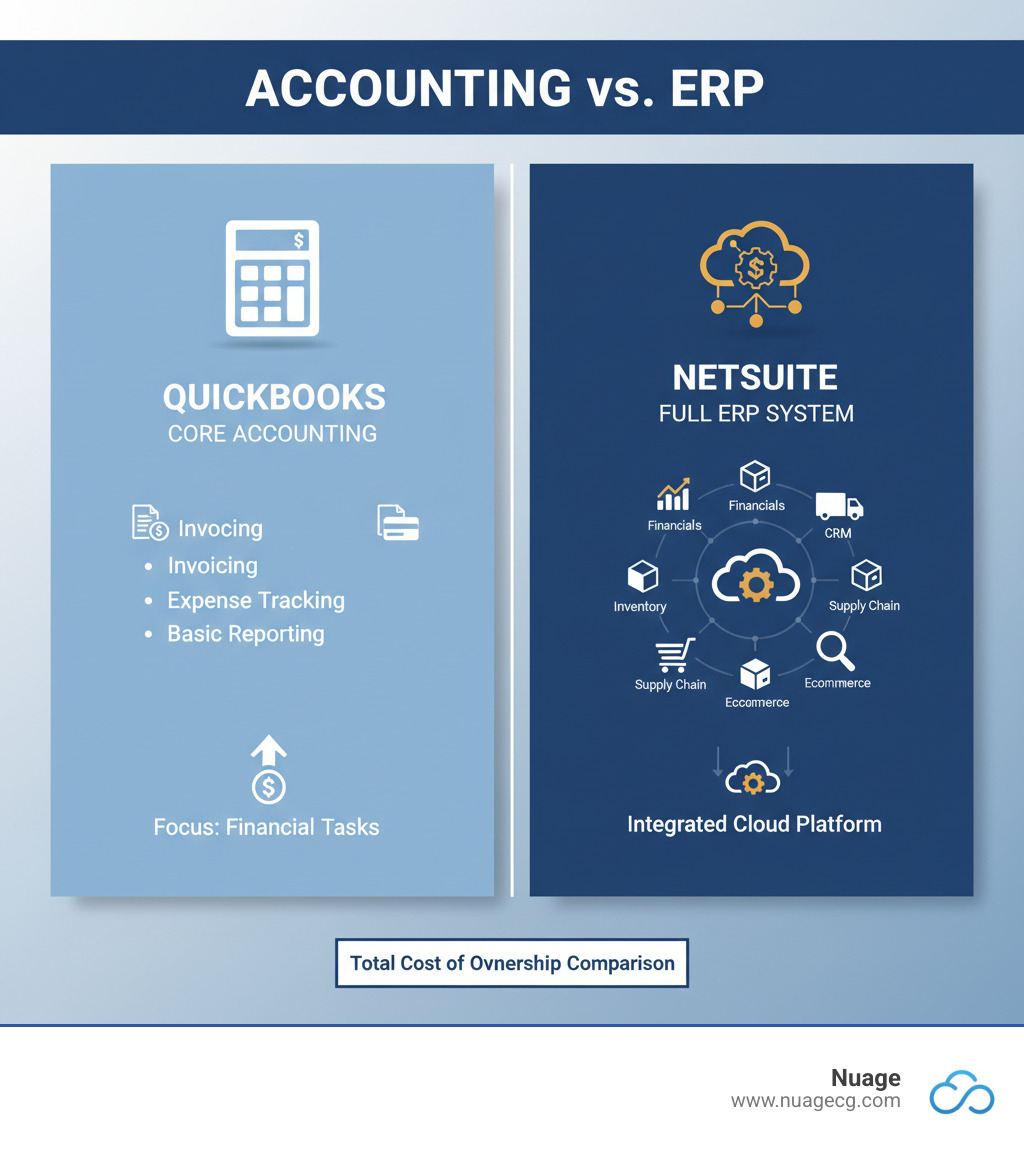
At a Glance: QuickBooks vs. NetSuite Cost Comparison
At first glance, the NetSuite vs QuickBooks cost difference is stark. QuickBooks appears to be the budget-friendly choice, but the initial price tag is only part of the story. The features you need to scale your business often come at an additional cost, much like adding options to a base model car.
Let’s break down the side-by-side comparison:
| Feature | QuickBooks Online Advanced | QuickBooks Enterprise | NetSuite (Oracle) |
|---|---|---|---|
| Starting Price | ~$200/month | ~$1,800+/year | ~$12,000+/year |
| Pricing Model | Subscription | Annual Subscription | Annual License |
| Typical User | Small Businesses | Mid-sized Businesses | Mid-to-Large Businesses |
| User Fees | Up to 25 users included | Per-user cost | ~$99/user/month |
| Implementation | Low | Moderate | High/Custom |
| Scalability | Limited (up to 25 users) | Moderate (up to 40 users) | High (unlimited users) |
QuickBooks Online Advanced is designed for small businesses needing solid accounting for up to 25 users with minimal implementation.
QuickBooks Enterprise serves mid-sized businesses that have outgrown the Online version, supporting up to 40 users with an annual subscription and per-user pricing.
Oracle NetSuite is a comprehensive ERP solution for mid-to-large businesses that need an integrated platform for all operations. Its annual license, custom pricing, and higher implementation costs reflect its role as a complete business management system that can scale without limits.
The critical question is not which costs less upfront, but which offers better value and a lower total cost over the long term. This depends on your growth trajectory and operational complexity.
A Deep Dive into the Pricing Structures
Understanding the pricing models for NetSuite vs QuickBooks cost reveals their different philosophies. The published numbers are just the beginning.
QuickBooks Pricing: Tiers, Users, and Subscription Fees
QuickBooks is known for its accessible, tiered pricing, available in two main versions: Online and Enterprise.
QuickBooks Online uses a monthly subscription model. Tiers range from Simple Start for basic tracking to Advanced for businesses needing more complex reporting and up to 25 users. This allows you to start small, but the 25-user limit on the Advanced plan is a hard ceiling. See current offers at QuickBooks Online pricing.
QuickBooks Enterprise is for businesses that have outgrown Online. It uses an annual subscription with per-user pricing for up to 40 users, offering more robust inventory and user permission features. Details are available at QuickBooks Enterprise Pricing.
Your base QuickBooks subscription covers core accounting, but many features essential for growth cost extra. Payroll, payment processing, and advanced inventory functions all add to your monthly bill. What starts as an affordable rate can quickly exceed $1,000 per month as you add the tools needed to run your business.
NetSuite Pricing: Custom Quotes, Licenses, and Modules
NetSuite uses a custom pricing model. There is no public price list; every quote is custom to your specific business size, needs, and complexity.
The pricing structure typically includes:
- Annual License Fee: This covers the core ERP platform, which can integrate financial management, CRM, and e-commerce.
- Optional Modules: You add modules based on your needs, such as Supply Chain Management (SCM) or Professional Services Automation (PSA). This ensures you only pay for what you use.
- Per-User Fees: Each user requires a license, with costs varying by access level.
- One-Time Implementation Fee: This mandatory fee covers system setup, data migration, configuration, and training. It is a significant investment, often 1.5 to 2 times the annual license cost, but it ensures the system is custom to your business processes.
Because every implementation is unique, the best way to understand your potential cost is to request a custom quote. As a NetSuite partner serving businesses across California and Florida, Nuage helps companies steer this process to secure the right configuration and licensing terms. Learn more about our approach on our NetSuite solutions page.
Beyond the License: Uncovering the Total Cost of Ownership (TCO)
When weighing NetSuite vs QuickBooks cost, the subscription fee is just the tip of the iceberg. The real financial impact is revealed by the Total Cost of Ownership (TCO), which accounts for all expenses over a 3-5 year period.

TCO includes implementation, training, add-ons, integrations, and the cost of staff time spent on manual workarounds. A multi-year analysis often shows that the “cheaper” option can become far more expensive in the long run.
Hidden QuickBooks Costs: A Key Factor in the NetSuite vs QuickBooks Cost Debate
QuickBooks’ low entry price can be deceptive. As a business grows, hidden costs accumulate:
- Third-Party App Subscriptions: Advanced inventory, CRM, or project management features require bolting on apps from the marketplace, each with its own monthly fee and potential data sync issues (for example, connecting to leading CRM like Salesforce).
- Payroll and Merchant Fees: These services are not included in the base subscription and scale with your employee count and sales volume.
- Manual Workarounds: The most significant hidden cost is often the time your team spends compensating for software limitations. Exporting data to Excel, re-entering information into multiple systems, and manually reconciling data are inefficient and expensive, pulling staff away from strategic work.
This “death by a thousand cuts” can push the true cost of QuickBooks far beyond the initial subscription fee.
NetSuite’s TCO: Understanding the Full Investment
NetSuite requires a larger upfront investment but is designed to provide a lower long-term TCO for complex businesses.
The implementation process is a structured project that customizes the system to your specific workflows. While this involves a significant investment of time and money, it eliminates the need to force your business to adapt to software limitations. At Nuage, we guide clients in California and Florida through this process to ensure the configuration delivers maximum value. Explore our NetSuite solutions.
NetSuite’s integrated modules replace multiple disparate software subscriptions with a single, unified platform. This consolidation eliminates software sprawl, broken integrations, and manual data entry. Everyone in the organization works from the same real-time data, enabling faster, more accurate decision-making.
For example, one of our manufacturing clients in Florida found that while their monthly NetSuite fee was higher than their previous QuickBooks setup, the real-time operational insights led to better demand planning and smoother fulfillment, delivering an ROI that far outweighed the cost difference.
The Tipping Point: When Does Outgrowing QuickBooks Get Expensive?
There comes a moment when the software that got you started begins to hold you back. This is the tipping point in the NetSuite vs QuickBooks cost debate, where the “affordable” solution becomes a significant expense.
Working with businesses across California and Florida, we’ve seen the signs repeatedly:
- Exceeding User Limits: QuickBooks Online Advanced caps at 25 users and Enterprise at 40. Exceeding these limits leads to shared logins (a security risk) or productivity bottlenecks.
- Managing Multiple Entities: If you operate multiple legal entities or locations, you’re likely managing separate QuickBooks files. Consolidating reports becomes a manual, error-prone process in Excel, providing outdated information.
- International Expansion: Handling multiple currencies, foreign tax laws, and global compliance in QuickBooks is difficult and requires costly workarounds. NetSuite’s global capabilities manage this natively.
- Complex Inventory: For businesses with multiple warehouses, lot tracking, or advanced costing, QuickBooks’ features are often insufficient, leading to stockouts, overstocking, and fulfillment delays.
The most insidious cost is the “death by a thousand cuts”—the accumulated inefficiency of managing separate systems for accounting, CRM, and inventory. When your team spends more time on manual data entry than on strategic work, and your true monthly cost for QuickBooks and its add-ons exceeds $500-$1,000, you’ve likely reached the tipping point.
This is where NetSuite’s value becomes clear. The higher initial investment buys real-time data, unlimited scalability, and consolidated operations, eliminating the redundant processes that drain your team’s productivity. The decision hinges on operational complexity, not just revenue. To learn more, see our information about NetSuite solutions.
Frequently Asked Questions about NetSuite vs QuickBooks Cost
We hear these questions all the time from businesses trying to make sense of the NetSuite vs QuickBooks cost comparison. Here are straightforward answers.
What is the typical starting cost for QuickBooks and NetSuite?
QuickBooks Online starts as low as $30/month, with advanced plans around $200/month. QuickBooks Enterprise starts around $1,800/year. NetSuite is custom-quoted, but a basic configuration typically starts around $1,000/month for the license, with a total first-year investment often exceeding $25,000 after mandatory implementation and user fees.
How does the total cost of ownership (TCO) differ over 3-5 years?
QuickBooks’ TCO can increase unpredictably as you add users, third-party apps, and rely on manual workarounds. NetSuite has a higher upfront cost, but its TCO is more predictable over time. For complex businesses, NetSuite often proves to have a lower long-term TCO by consolidating systems and improving efficiency.
At what point does the NetSuite vs QuickBooks cost become comparable?
The costs become comparable when a business’s true monthly spend on QuickBooks—including high-tier subscriptions, multiple paid add-ons for CRM or inventory, and the hidden cost of manual labor—approaches or exceeds $1,000. At this stage, you are paying a premium price for an inefficient, fragmented system, and the financial case for migrating to an integrated platform like NetSuite becomes compelling.
If you’re wondering where your business falls on this spectrum, we can help you analyze your TCO. Understanding the true costs is key to making the right strategic decision. Learn more about NetSuite solutions and how they might fit your needs.
Conclusion: Making the Right Financial Decision for Your Business
Choosing between QuickBooks and NetSuite is a strategic financial decision. The right answer depends not on sticker price, but on your company’s operational complexity and growth trajectory.
QuickBooks is an excellent, cost-effective starting point for small businesses with simple accounting needs. However, as you scale, the cost of third-party apps, additional user fees, and manual workarounds can cause your total expenses to climb unexpectedly.
NetSuite requires a significant upfront investment but is built as an integrated ERP system designed to scale with you. It consolidates disparate systems into a single platform, providing real-time visibility across your entire operation and eliminating the inefficiencies that hold back growth.
The tipping point is about complexity, not revenue. A complex $2 million business may get more value from NetSuite, while a simple $10 million business might be fine with QuickBooks. The “cheaper” option becomes expensive when it limits your growth and forces your team into inefficient processes.
At Nuage, we’ve spent over 20 years helping businesses in California and Florida steer this choice. As your NetSuite Optimization Engine, we help you analyze your true Total Cost of Ownership to determine the right path forward. We provide strategic guidance, not a sales pitch, to ensure you make the smartest investment for your future.
Ready to get clarity on the right financial software for your business? Contact our NetSuite experts for a consultation, and let’s have an honest conversation about your options.